

Posted on

Shielded HTML Viewer for Power BI

All HTML rendered through the Shielded HTML Viewer is sanitized to keep your data safe.

The first HTML Viewer Certified by Microsoft now is part of the first Visuals you can buy and manage directly through Microsoft.
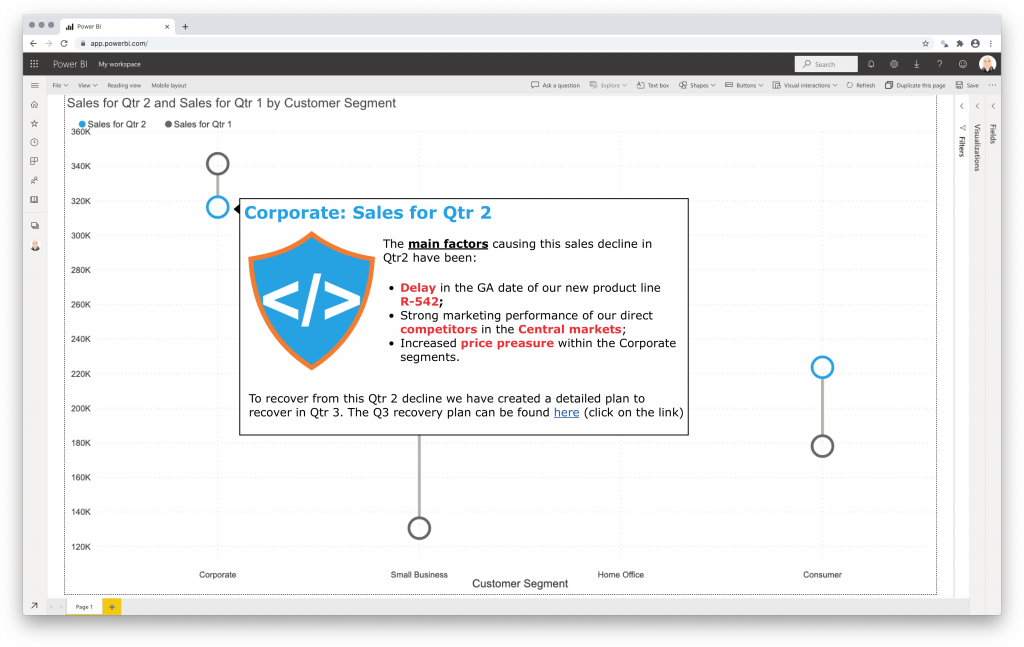
Microsoft announced this new functionality in July 2022. Currently in preview and requires Power BI Desktop July 2022 or later.

Obviously, this makes the purchase and management of licenses easier. Here are some of the main advantages:

  • Obtain fine grained control of the assignment of licenses.
  • (Re)assign each license to a user or group of users whenever you require.
  • Purchase a license for a single month or a whole year.
  • Make use of the optional auto-renewal feature.
  • No longer need to enter (or update) a license key. You manage your visual licenses like you manage any other Microsoft license.

Besides the Shielded HTML Viewer, all our visuals will support this new license option soon.

Try the Shielded HTML Viewer now on your own data by downloading it from the AppSource. All features are available for free to evaluate the Shielded HTML Viewer within Power BI Desktop.

Posted on

Milestone Trend Analysis Chart for Power BI

Milestones in project management are points in time when important deliverables are due. Like begin/end dates of project phases, formal approvals, etc. Nothing new to most of us.

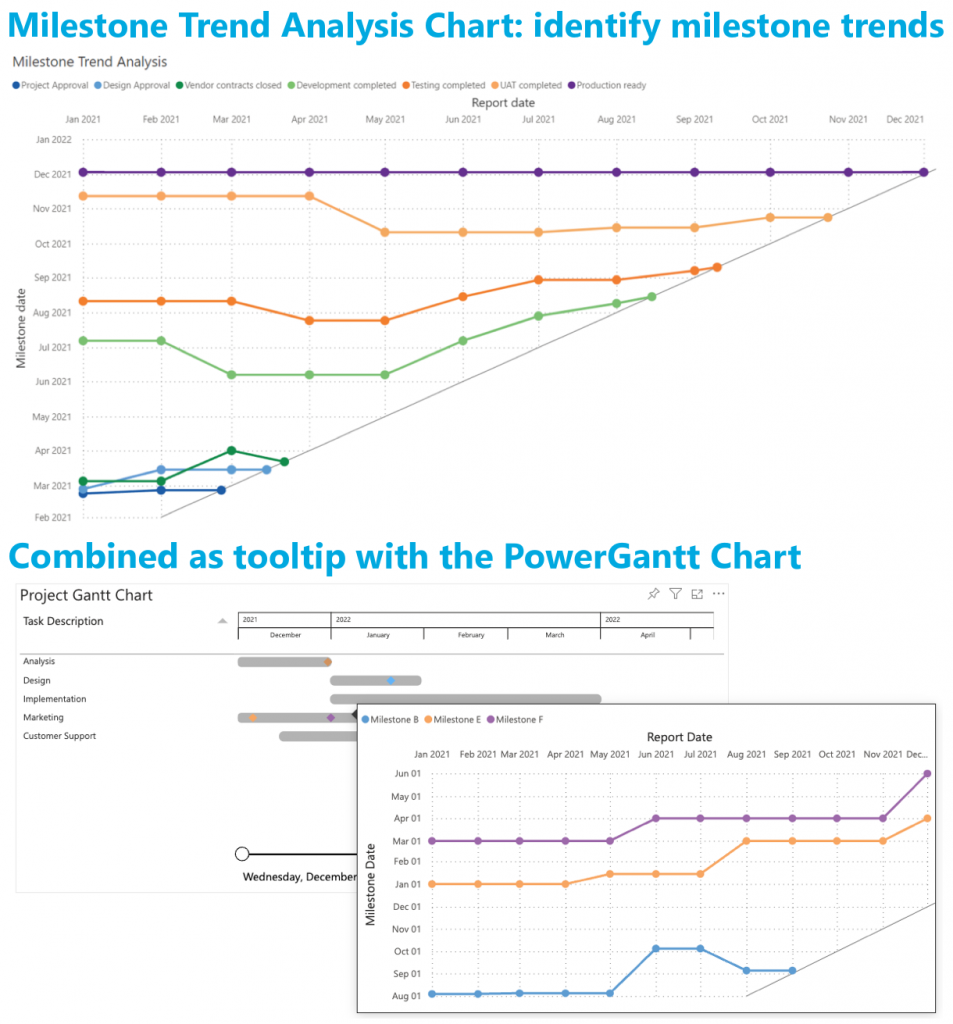
How can we use milestones to monitor the progress of our project(s)? The Milestone Trend Analysis Chart for Power BI.

Milestone Trend Analysis (MTA) is a simple method of early identifying deadline trends. It allows you to react in time with corrective actions. And it will raise the deadline awareness of all project participants and stakeholders.

Key signals in the Milestone Trend Analysis Chart are:

  • Horizontal line: no change in the (expected) completion date
  • Increasing line: delay in the (expected) completion date
  • Decreasing line: (expected) completion date brought forward

All features of the Milestone Trend Analysis Chart are available in the familiar standard Power BI user interface. No need to learn a new interface. And of course, themes, interactive selection and tooltips are supported.

Don’t hesitate and try the Milestone Trend Analysis Chart now on your own data by downloading it from the AppSource. All features are available for free to evaluate this visual within Power BI Desktop.