
Posted on

PowerGantt Chart for Power BI – November 2025 Update

PowerGantt Chart for Power BI – November 2025 Update

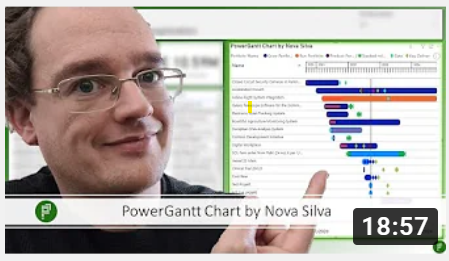
  • We’re thrilled to introduce one of the most requested features in Power Gantt: task dependencies! With our latest release, you can now add Finish-to-Start (FS) dependencies between tasks—visually represented as arrows connecting one task’s finish to another’s start.
  • This powerful enhancement brings true project scheduling capability to Power BI. By visualizing dependencies, teams can better understand task sequences, identify bottlenecks, and manage timelines more effectively.
  • Adding dependencies is simple—just define them in your dataset, and Power Gantt does the rest. Arrows will automatically appear on your Gantt chart, making relationships between tasks clear and actionable.

Whether you’re managing product launches, construction schedules, or complex workflows, FS dependencies make your Power Gantt chart smarter, more dynamic, and easier to interpret.

Start using dependencies today and take your project tracking to the next level!

Try the Power Gantt Chart for FREE now on your own project data by downloading it from the AppSource.

Questions or remarks? Visit us at: Power Gantt Chart for Power BI.

Posted on

PowerGantt Chart for Power BI – September 2025 Update

PowerGantt Chart for Power BI – September 2025 Update

We’re excited to announce a powerful new feature in our latest PowerGantt release: Custom milestone markers!

With this update, you can now add any icon to your PowerGantt visual to represent milestones—bringing even more clarity and customization to your project timelines. Whether you’re highlighting key deliverables, risks, or approval points, custom icons make it easier to tell your story briefly.

But that’s not all—these icons support conditional formatting, enabling dynamic styling based on status, category, or any field in your data. For example, you can automatically display a red warning icon for delayed tasks or a green checkmark for completed milestones.

A screenshot of a computer AI-generated content may be incorrect.

Custom icons give you the flexibility to match your visual to your organization’s language and branding, making project tracking more intuitive and visually engaging than ever before.

Update your PowerGantt Chart today and make your project milestones stand out with style!

Try the PowerGantt Chart for FREE now on your own project data by downloading it from the AppSource.

Questions or remarks? Visit us at: https://visuals.novasilva.com/.

Posted on

PowerGantt Chart for Power BI – May 2025 Update

PowerGantt Chart for Power BI – May 2025 Update

We’re excited to announce a powerful new feature in our latest PowerGantt release: Custom milestone markers!

With this update, you can now add any icon to your PowerGantt visual to represent milestones—bringing even more clarity and customization to your project timelines. Whether you’re highlighting key deliverables, risks, or approval points, custom icons make it easier to tell your story briefly.

But that’s not all—these icons support conditional formatting, enabling dynamic styling based on status, category, or any field in your data. For example, you can automatically display a red warning icon for delayed tasks or a green checkmark for completed milestones.

Custom icons give you the flexibility to match your visual to your organization’s language and branding, making project tracking more intuitive and visually engaging than ever before.

Update your PowerGantt Chart today and make your project milestones stand out with style!

Try the PowerGantt Chart for FREE now on your own project data by downloading it from the AppSource.

Questions or remarks? Visit us at: https://visuals.novasilva.com/.

Posted on

Microsoft Customer Success Story: How Nova Silva’s Visuals Help Boost Risk Identification

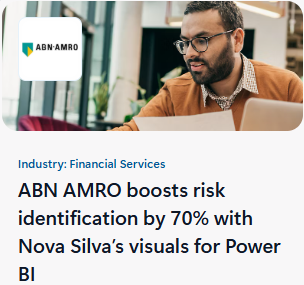
ABN AMRO boosts risk identification by 70% with Nova Silva’s visuals for Power BI

We’re excited to share a Microsoft Customer Success Story showcasing how Power BI and our visuals help organizations achieve better insights and results. You can read the full story here:
Read the Microsoft Customer Story.

Boost your insights today! Try the Nova Silva visuals for Power BI now on your own project data by downloading it from the AppSource.

Questions or remarks? Visit us at: https://visuals.novasilva.com/.